 Use this template
4.9/5 · loved by 100,000+ job seekers
The AI Resume Builder that gets you hired
Create a professional, ATS-friendly resume in 3 minutes. Our AI writes your bullet points, picks the right keywords and formats everything into a recruiter-approved template — free to start, on any device.
- No credit card required
- 40+ ATS templates
- PDF download
100k+resumes created
3 minaverage build time
96%avg. ATS score
ATS SCORE
98%
Templates tested with the applicant tracking systems used by top employers
WorkdayGreenhouseLeverTaleoiCIMSSmartRecruiters
An online resume builder powered by AI — built for today's job market
CVByAI is an online resume maker that turns a few lines about your career into a polished, ATS-optimized resume. Choose from 40+ professional resume templates, let the AI resume writer craft quantified achievements, then download a pixel-perfect PDF.
Need inspiration? Browse hundreds of resume examples by job title, check your score with our free ATS resume checker, or tailor your resume to any job description in one click.
How it works
How to make a resume in 3 simple steps
No design skills, no blank page. Our resume generator does the heavy lifting while you stay in control of every word.
-
1
Pick a resume template
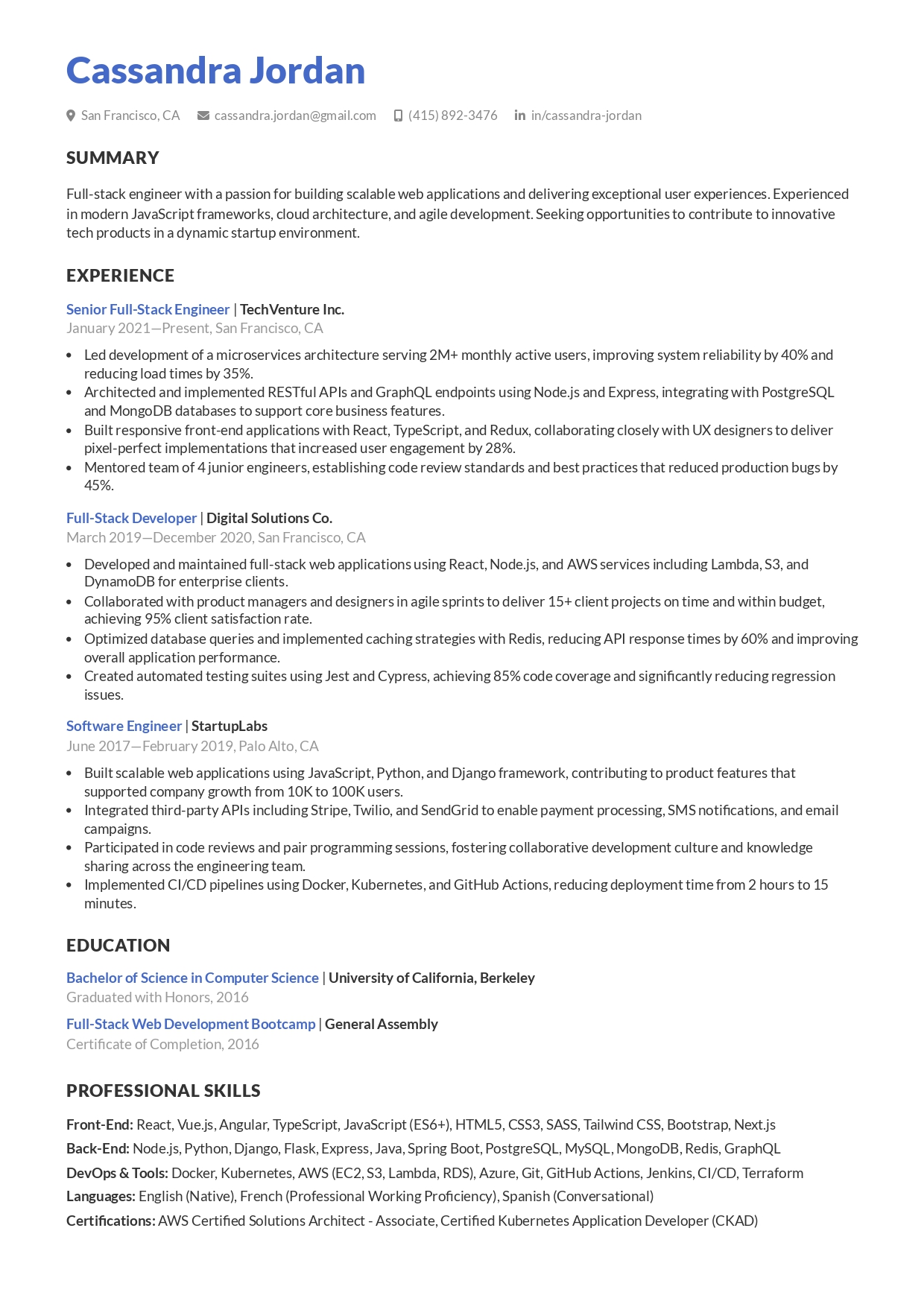
Choose from 40+ ATS-friendly designs — modern, professional, simple or creative. Change fonts and colors anytime.
-
2
Let the AI write it
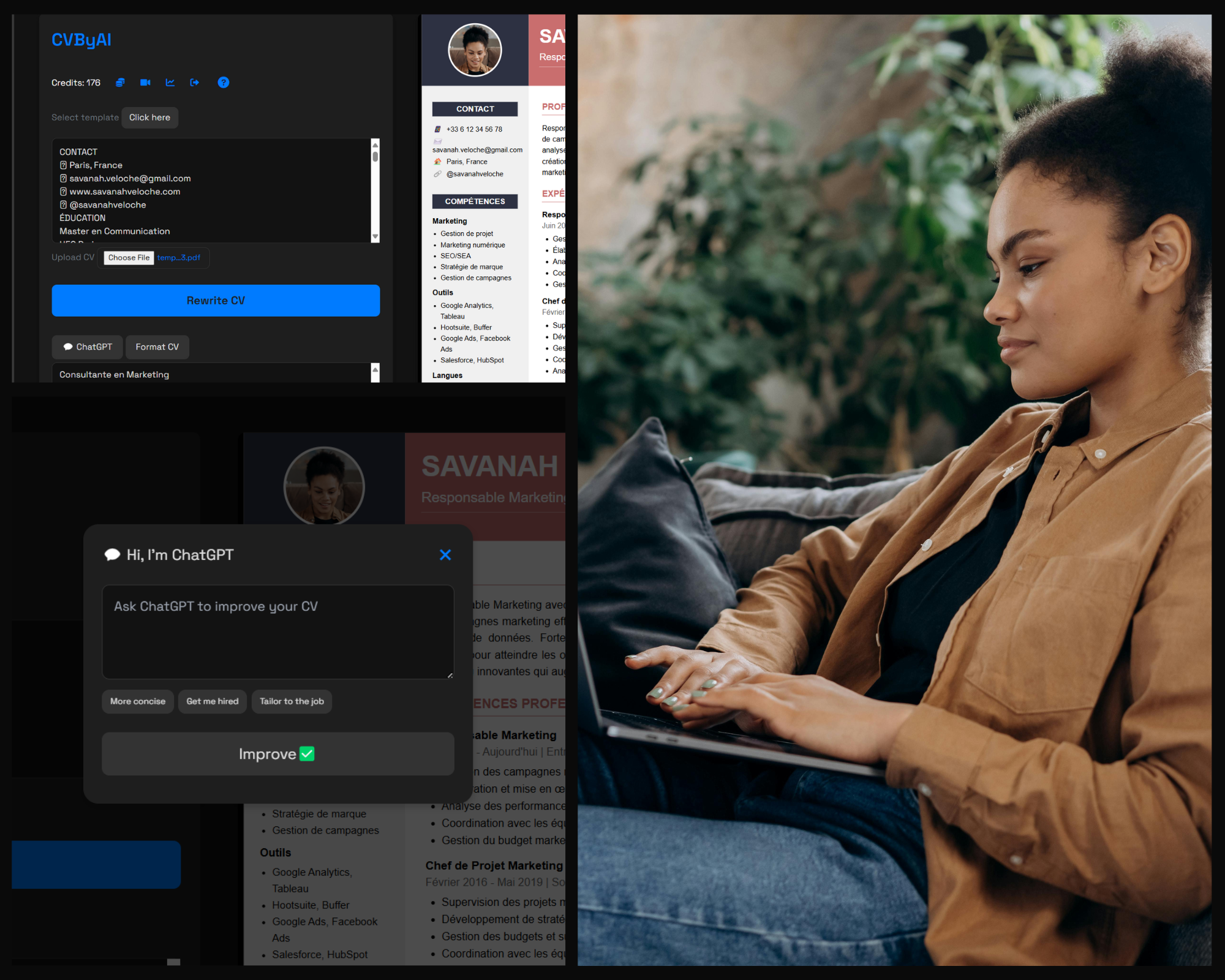
Type your job title and a few details, or import your old resume or LinkedIn profile. The AI writes your summary, bullet points and skills.
-
3
Check your score & download
See your ATS score, add missing keywords from the job post, and download a recruiter-ready PDF in seconds.
Resume templates
See all resume templates
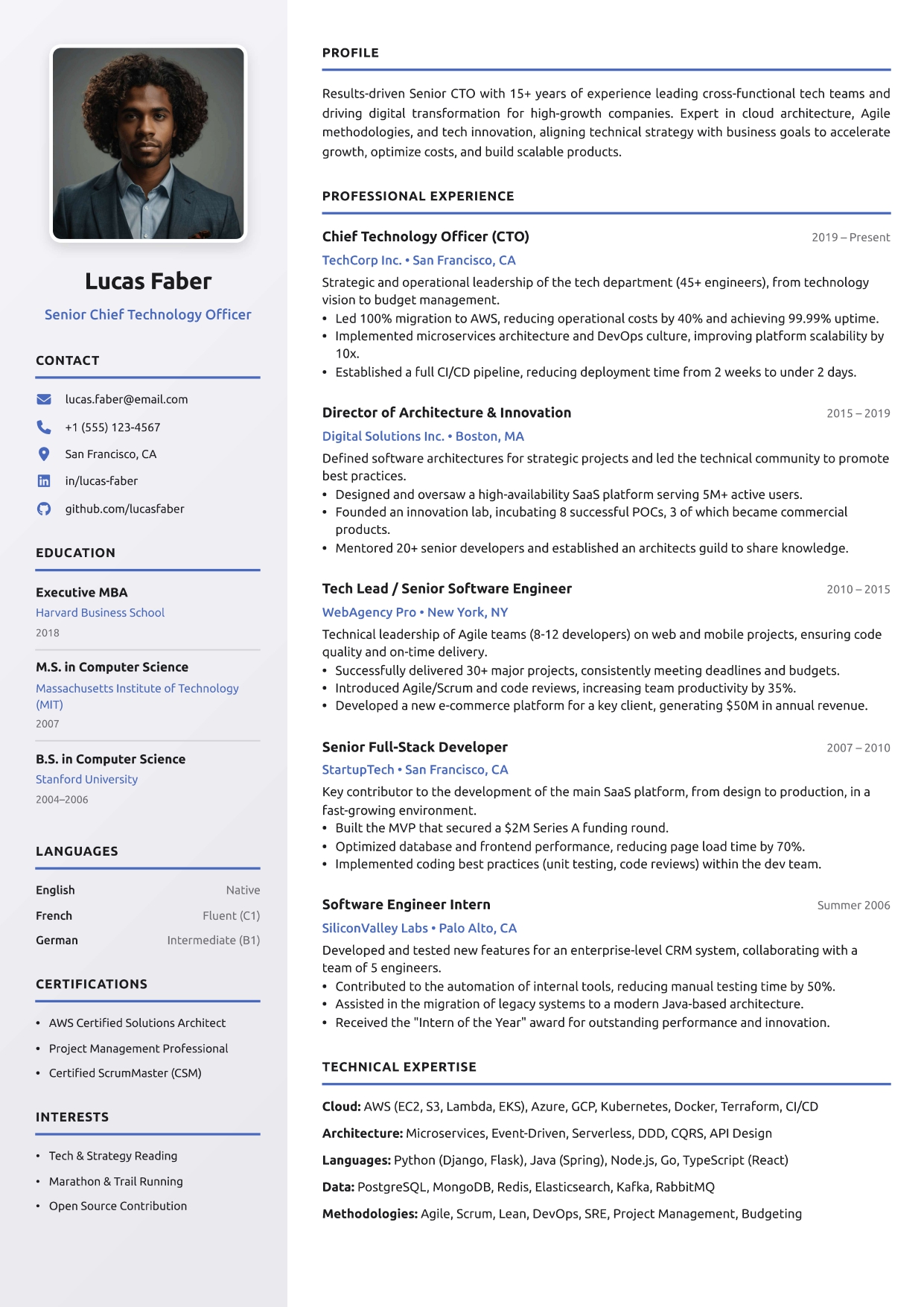
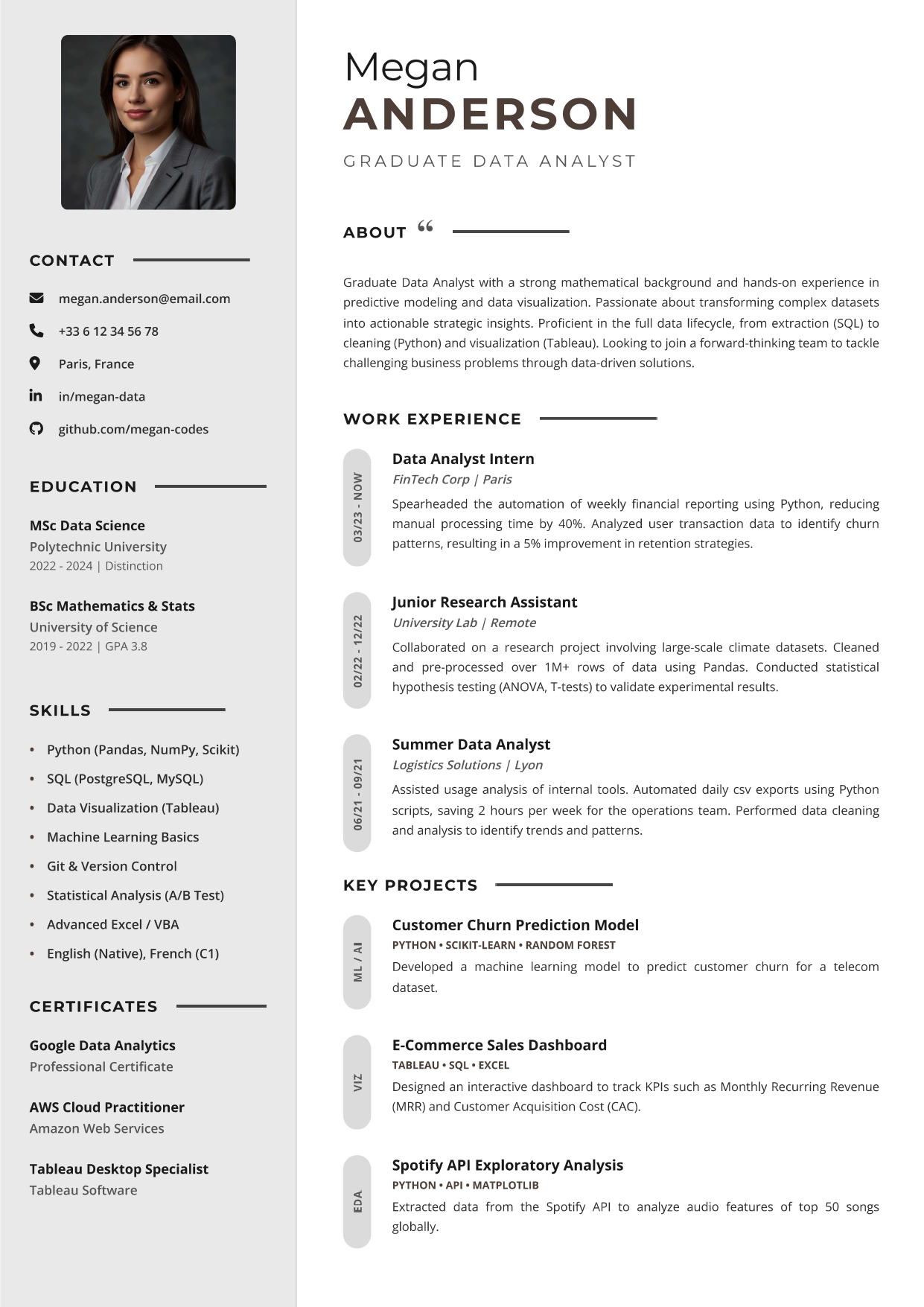
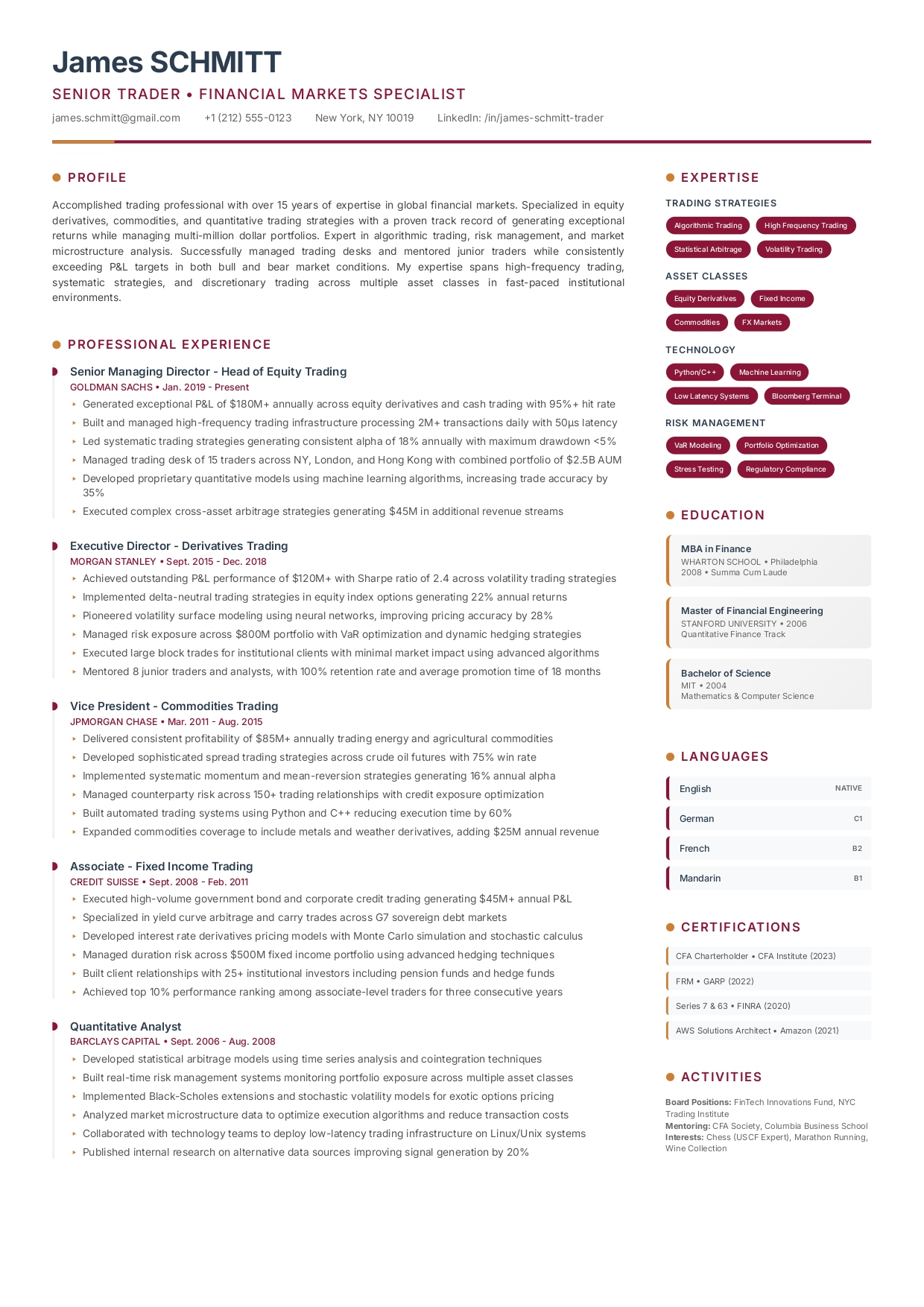
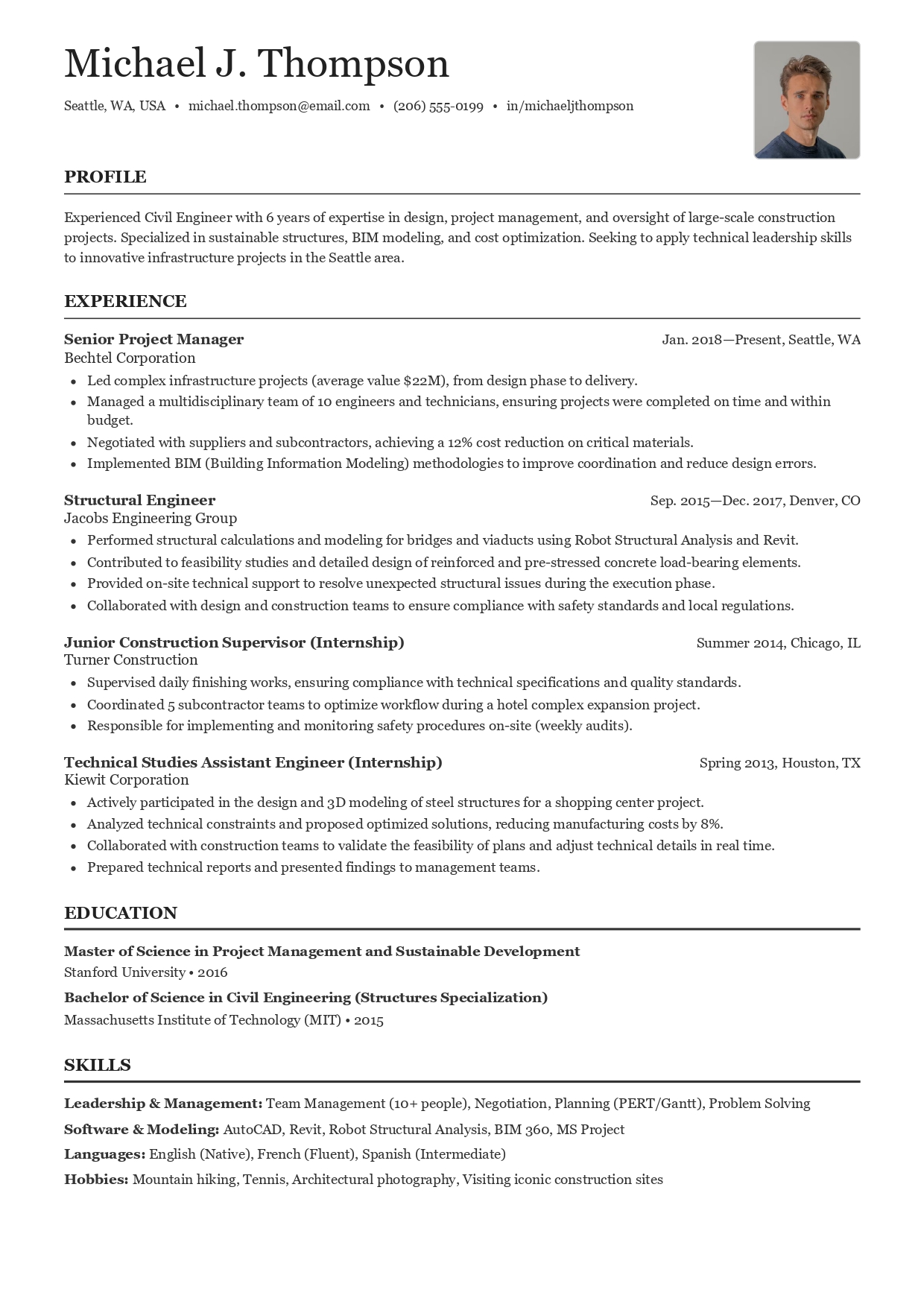
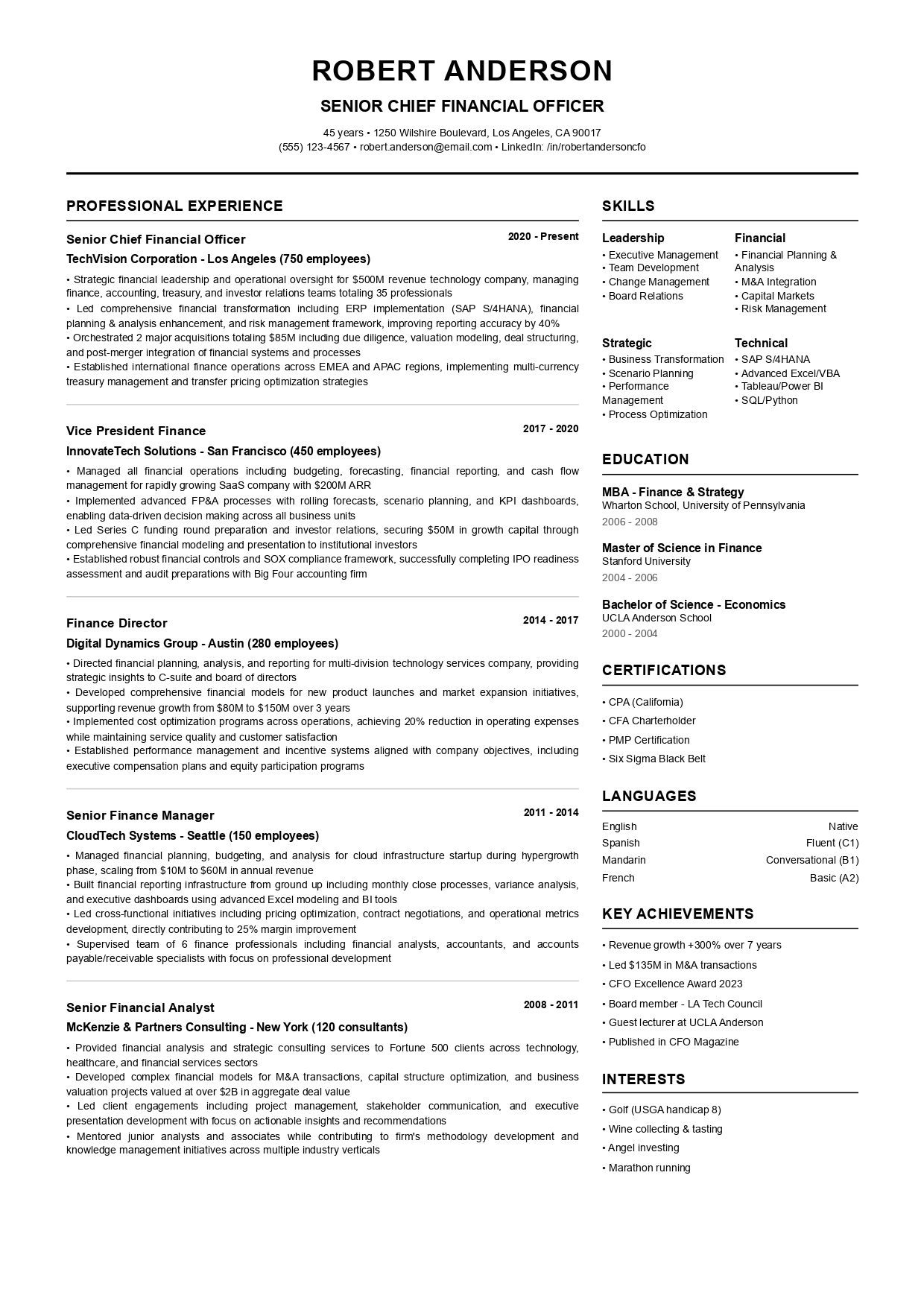
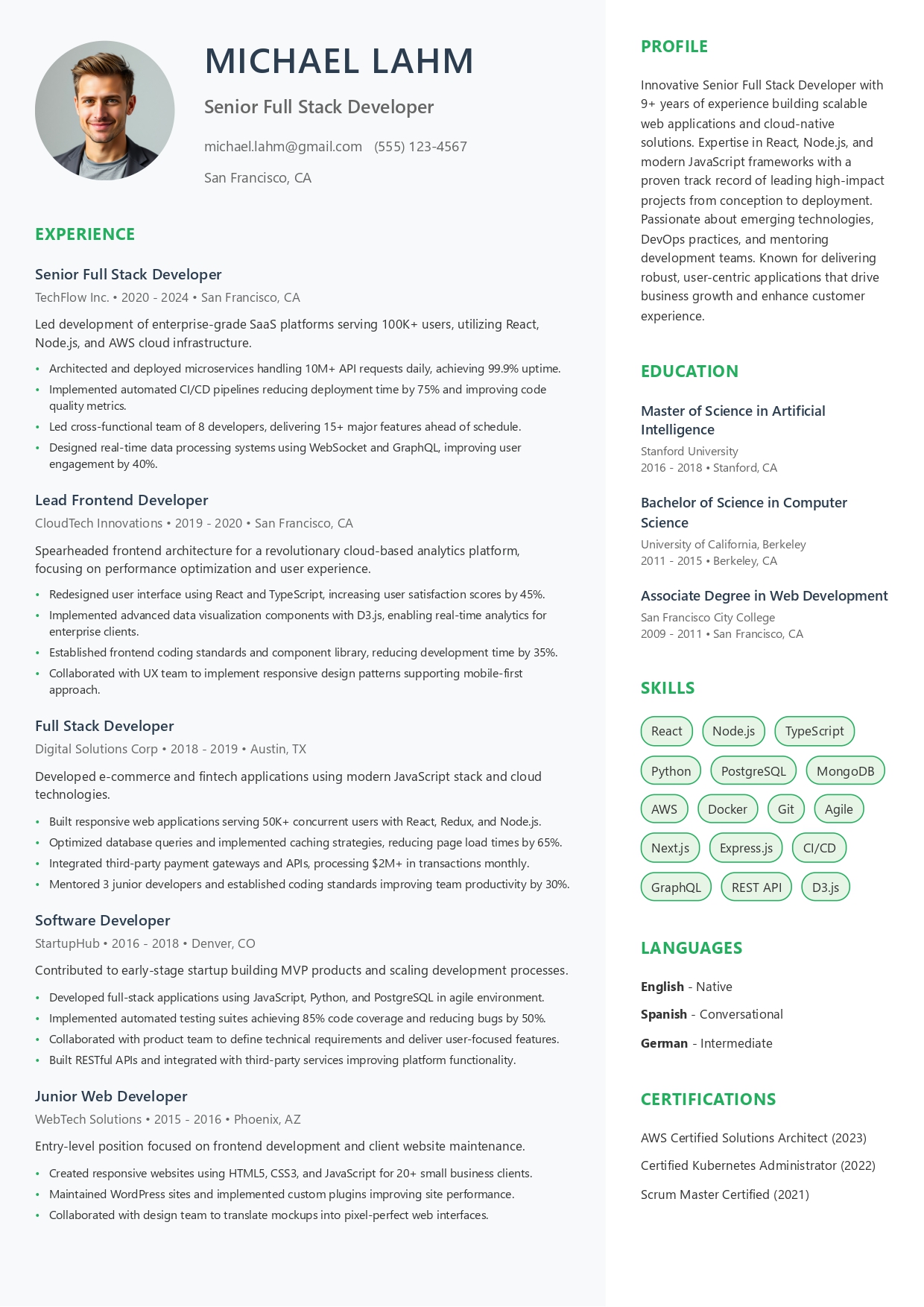
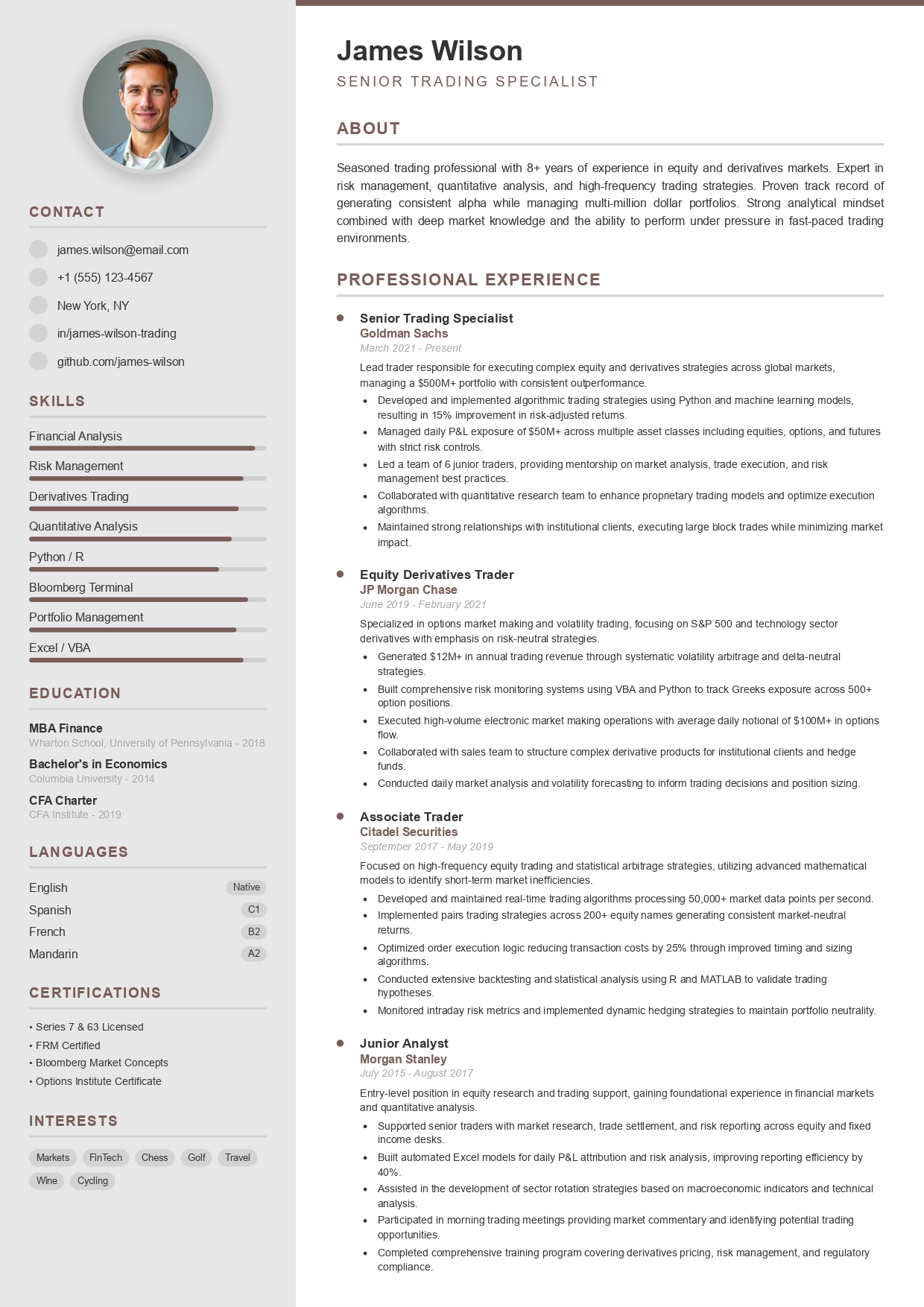
Pick from 40+ free resume templates
Recruiter-approved designs that pass applicant tracking systems and still look great to humans.
Features
Everything you need to land more interviews
One resume creator with every tool job seekers usually pay for separately.
AI resume writer
Generate a summary, achievement-driven bullet points and skills tailored to your job title in seconds.
ATS resume checker
Get an instant ATS score and see which keywords recruiters' software expects to find.
40+ ATS templates
Modern, professional and simple layouts tested with Workday, Greenhouse, Taleo and more.
Custom fonts & colors
Make any template yours with one click — layout stays perfectly aligned on every page.
Import & improve
Upload an old resume or LinkedIn profile and let the AI rewrite it into a stronger version.
Instant PDF download
Export a crisp, text-based PDF that displays identically for recruiters and parses cleanly in any ATS.
Why CVByAI
More than a resume maker — a career co-pilot
AI resume writer
Our free AI resume builder finds the right words for you
Stop staring at a blank page. Describe what you did and the AI turns it into strong, quantified achievements written in the language recruiters look for.
- Job-specific bullet points for 500+ roles
- Professional summary written in your voice
- One-click rewrite: shorter, bolder, more senior
ATS resume checker
Beat the applicant tracking system before you hit "apply"
Most large companies filter resumes with ATS software before a human ever reads them. CVByAI scores your resume and tells you exactly what to fix.
- Instant ATS compatibility score
- Missing keywords pulled from the job description
- Format checks: headings, dates, file structure
Tailor to any job
One resume per job — tailored in a single click
Paste any job description and the AI adapts your summary, skills and bullet points to match, so every application feels written for that role.
- Duplicate and tailor unlimited versions
- Live match score as you edit
- Matching cover letter in seconds


AI professional headshot
A studio-quality resume photo from a simple selfie
Applying in a country where a photo is expected, or refreshing your LinkedIn? Upload a selfie and get a professional headshot with flattering light and a neutral background.
- Business-ready backgrounds and outfits
- Perfect crop for resumes and LinkedIn
Works everywhere
Build your resume on your phone, tablet or laptop
Our mobile-friendly resume builder works in any browser. Start on your commute, finish on your laptop — your resume is saved automatically to your account.
- Full editor on iPhone and Android
- Auto-save and sync across devices
Resume examples
Get inspired by resume examples for every job
Written by career experts and recruiters. Open an example, then customize it with AI in one click.
Compare
Why job seekers switch to CVByAI
Most resume builders give you a template. CVByAI writes, checks and tailors your resume too.
| Feature | CVByAI | Typical resume builders | Word / Google Docs |
|---|---|---|---|
| AI writes your whole resume | Partial | ||
| Built-in ATS score checker | |||
| Tailor to a job description in one click | Paid add-on | ||
| ATS-tested templates | 40+ | Varies | |
| AI professional headshot | |||
| Time to a finished resume | ~3 minutes | 30–60 minutes | 2+ hours |
Comparing specific tools? Read CVByAI vs Resume.io or our guide to the best AI resume builders.
Reviews
Job seekers landed interviews with CVByAI
Students, executives and career changers use our resume builder every day.
4.9
Based on 1,500+ ratings
"My problem wasn't filling a page, but condensing fifteen years of management without it looking like a catalog. The final resume is shorter than my old one, but it showcases my value ten times better."
"A massive time-saver. With the AI generation and smart assistant, I put together a polished resume in 20 minutes that would have taken me an entire weekend."
"For an executive profile, the danger is a resume that's too dense, full of acronyms and internal jargon. I got a cleaner, finance-focused version without redoing the layout for every tweak."
"I thought I had a decent resume, but my experience lacked precision. CVByAI helped me rephrase my tasks to be clearer, more professional and quantified with real outcomes."
"Super easy to use and the output looks immediately more professional. My resume stays clean, but it's significantly better structured."
"The all-in-one experience makes the difference: you start with an average resume and get analysis, smart improvements and the final PDF in one place."
Pricing
Start free. Upgrade when you're ready.
Try the resume builder for free with no credit card. Pick a plan that matches your job search — cancel anytime.
Starter
The essentials for a winning resume.
€12/ week
- 40 AI credits
- 10 Resume generations
- 4 Pro AI headshots
- All 40+ templates & PDF export
Most popular
Pro Active
Unlimited resume optimization.
€20/ month
- Unlimited AI generation
- Unlimited resumes & cover letters
- Unlimited Pro headshots
- ATS checker & job tailoring
Job Hunt
A full 3-month application sprint.
€39/ 3 months
- Everything in Pro, unlimited
- Priority access & support
- Human review (optional)
- Best value for active job seekers
Secure payment · Cancel anytime · Your data is never sold
FAQ
AI resume builder: frequently asked questions
Can't find your answer? Email us at contact.cvbyai@gmail.com — we reply within 24 hours.
Build my resume nowIs CVByAI a free resume builder?
Yes. You can create an account, choose a resume template and try the AI resume writer for free, with no credit card required. Paid plans (from €12 per week) unlock more AI credits, unlimited resumes and professional AI headshots.
What is the best AI resume builder?
The best AI resume builder writes content that sounds like you, keeps the layout ATS-friendly and helps you tailor each resume to a job description. CVByAI combines an AI writer, 40+ ATS-tested templates, a built-in ATS score checker and PDF export in one tool, so you go from blank page to ready-to-send resume in about 3 minutes.
Are CVByAI resumes ATS-friendly?
Yes. All templates use a standard structure recognized by applicant tracking systems: clear hierarchy, conventional section headings, no complex nested tables and a clean text-based PDF export tested with major ATS software such as Workday, Taleo, Greenhouse, Lever, iCIMS and SmartRecruiters.
How long does it take to build a resume with AI?
On average 3 to 5 minutes. The AI structures your background and drafts your summary, experience bullets and skills instantly. Importing an existing PDF resume or LinkedIn profile makes it even faster.
Can I import my existing resume or LinkedIn profile?
Yes. Upload your current resume (PDF or Word) or paste your LinkedIn profile, and CVByAI extracts your information, rewrites it with stronger wording and places it into the template of your choice. See our LinkedIn resume builder.
Can I tailor my resume to each job description?
Yes. Paste a job description and CVByAI highlights missing keywords, rewrites your summary and bullet points to match the role and shows an updated ATS match score. You can keep one version of your resume per job application.
Can I build my resume on my phone?
Yes. CVByAI is fully responsive and works in any mobile browser on iPhone and Android, as well as on tablets and computers. Your resume is saved to your account so you can continue on any device.
In what format can I download my resume?
Resumes are exported as high-definition, text-based PDF files — the format recruiters prefer and ATS software parses most reliably. Your resume looks identical on every screen and printer.
Does CVByAI create professional AI headshots?
Yes. The AI Headshot feature turns a simple selfie into a studio-quality professional portrait with balanced lighting and a neutral background, ready for your resume and LinkedIn profile.
Is my personal data safe?
Yes. Your data is only used to generate and improve your applications. It is encrypted, never made public and never sold to third parties. You can delete your account at any time.
How to write a great resume with an AI resume builder
A great resume gets you an interview in about 7 seconds of recruiter attention — and only after it survives the applicant tracking system. Here is how to use an AI resume builder to get both right.
What is an AI resume builder?
An AI resume builder is an online tool that combines professional resume templates with artificial intelligence. Instead of writing every line yourself, you enter your job title, experience and skills — or import an existing resume — and the AI generates a summary, achievement-focused bullet points and a skills section. The resume maker then formats everything into a clean layout you can download as a PDF.
Why use AI to write your resume?
- Speed: build a complete resume in minutes instead of hours.
- Better wording: the AI turns duties into measurable results recruiters notice.
- Keywords: it suggests the terms ATS software and hiring managers look for in your field.
- Tailoring: adapt your resume to every job description without starting over.
What to include in your resume
- Contact information — name, phone, professional email, city and LinkedIn URL.
- Professional summary — 2–3 lines on who you are, your experience and what you bring.
- Work experience — reverse-chronological, with 3–5 quantified bullet points per role.
- Skills — hard skills and tools matched to the job description, plus key soft skills.
- Education — degrees, certifications and relevant training.
- Optional sections — projects, languages, volunteering, awards or hobbies.
Pro tip: start each bullet with an action verb and end it with a number — "Reduced onboarding time by 30% by redesigning the training program" beats "Responsible for onboarding".
Tips to pass applicant tracking systems (ATS)
- Use standard section headings such as "Work Experience", "Education" and "Skills".
- Mirror the exact keywords from the job posting (e.g. "project management", not just "PM").
- Avoid text inside images, complex tables and unusual fonts.
- Save as a text-based PDF unless the employer asks for Word.
- Run a final check with an ATS resume scanner before applying.
Choosing the right resume format
The reverse-chronological resume is the safest choice for most job seekers. A functional or combination resume can work for career changers or people with employment gaps. Keep your resume to one page if you have under 10 years of experience — learn more in our guide to ideal resume length and our list of best skills for a resume.
Ready to put this into practice? Open the AI resume builder and create your resume now.
Your next interview starts with a better resume
Join 100,000+ job seekers who built an ATS-ready resume with AI in under 3 minutes.
Build my resume with AI- Free to start
- No credit card
- PDF in minutes